Every file, the output route, levels, battery and storage, checked before doors.
Click in your ears.
Track to the desk.
A backing track and click track app for drummers on iPad. Import a folder of tracks, add a Metronome to the set, or open Metronome with no set at all. Send the click to your ears and the mix to the desk, then hit a pad. Built so the audio never stops on stage.
iPad only · iPadOS 26 or later · Free to try · One-time unlock
Output 1ClickYour ears
Output 2TrackThe desk
Click Left in 60 seconds
A one-minute look at a set: import a folder, soundcheck, hit a pad, just the click, stop clean.
From folder to first count.
There is no session file to rebuild and no sixteen-channel mixer to stare at. Give it the tracks you already use.
- 1
Import the folder.
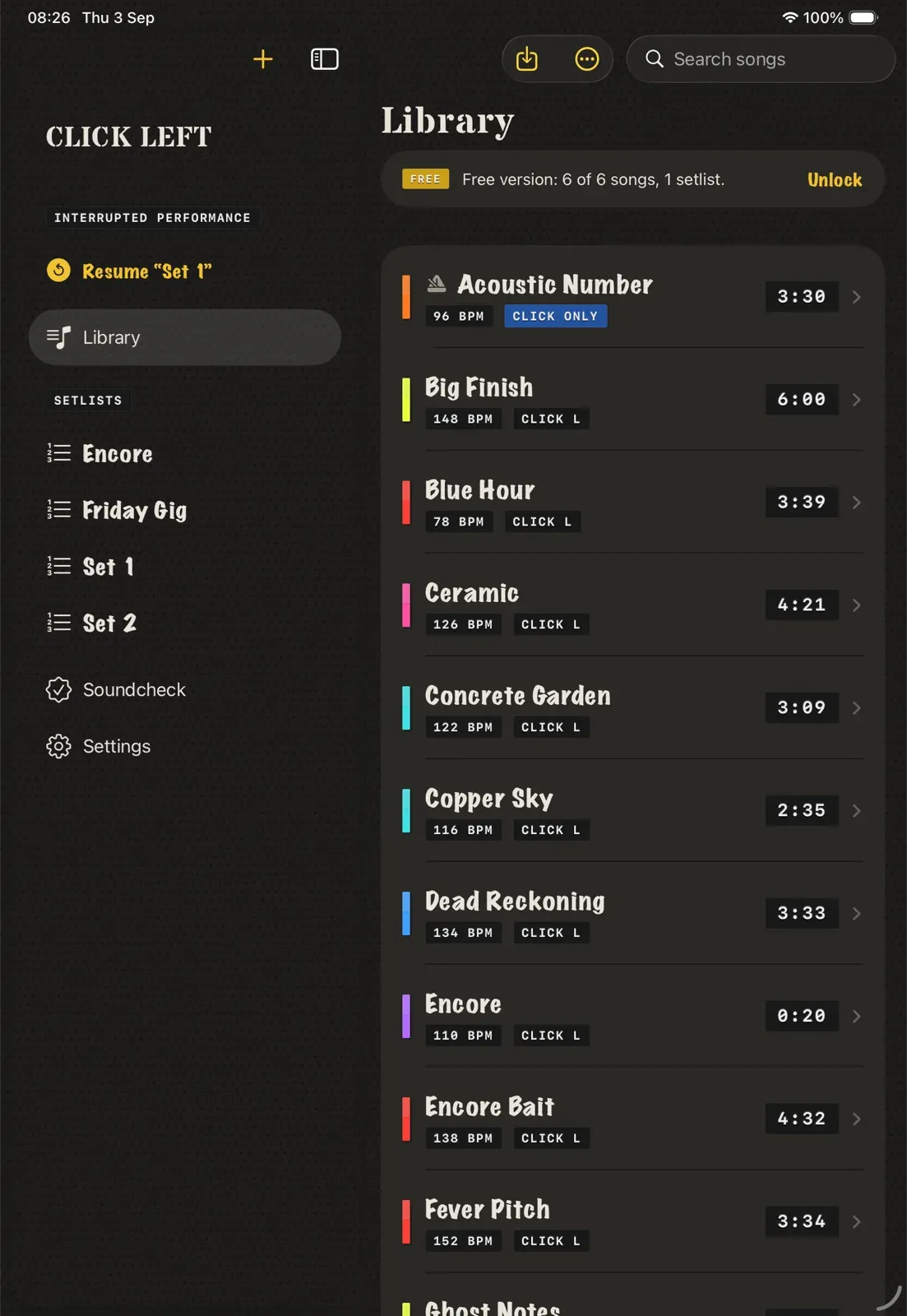
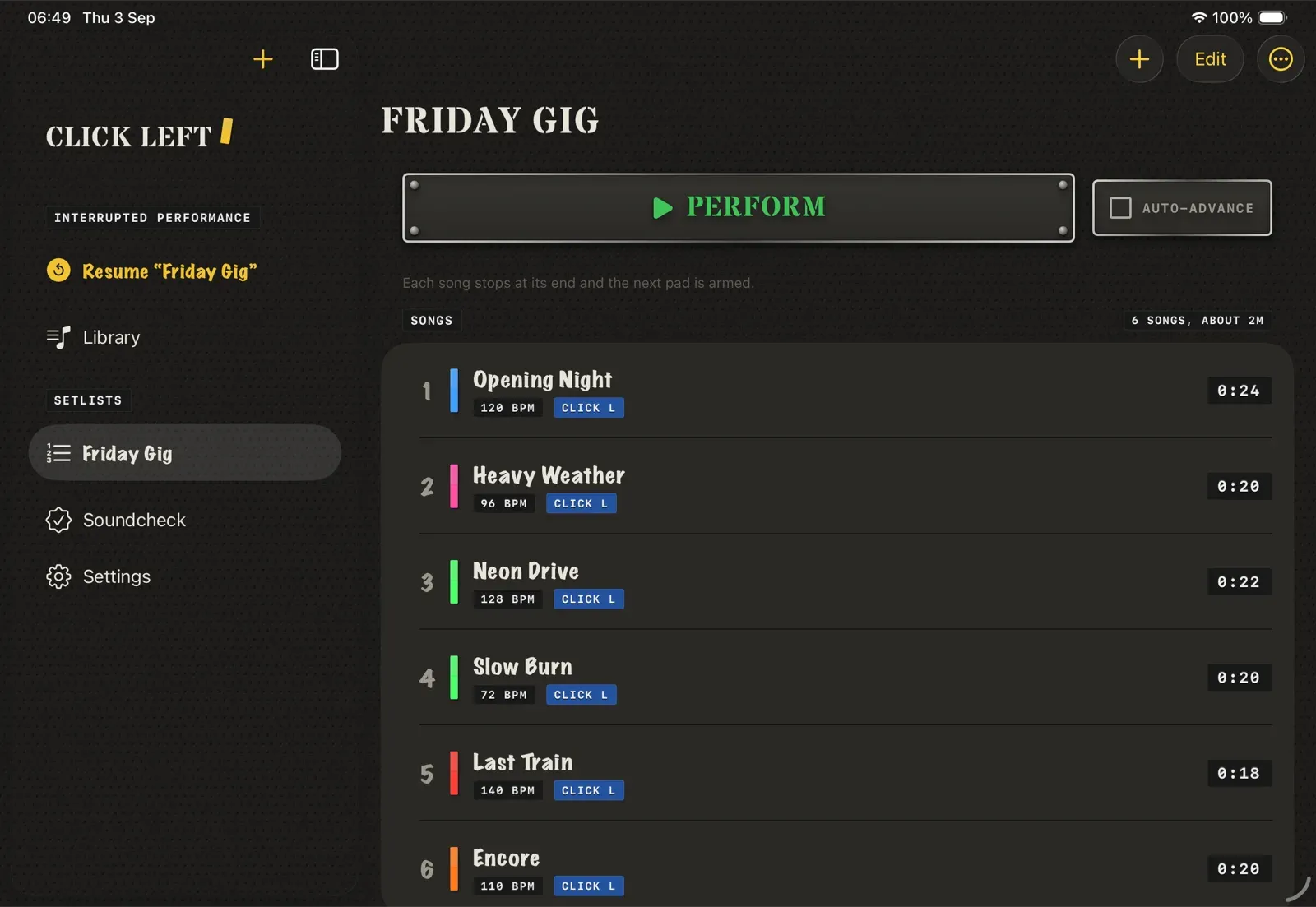
Drop in WAV, AIFF, M4A or MP3. File names can carry the running order, the tempo and a note for the stage. A folder becomes a setlist, and every track is checked and level-matched on the way in. A file you already have is caught before it lands twice.
Sort and filter the library, select several songs at once, and point a song at its audio again if the file has moved.
- 2
Route it once.
Click Left works out which channel holds the click. Send that to your ears and the backing mix to front of house, once, for every song.
Play in more than one band? File songs and setlists under each band. Each band has its own click level and click defaults. Bands are in the free version.
- 3
Hit a pad.
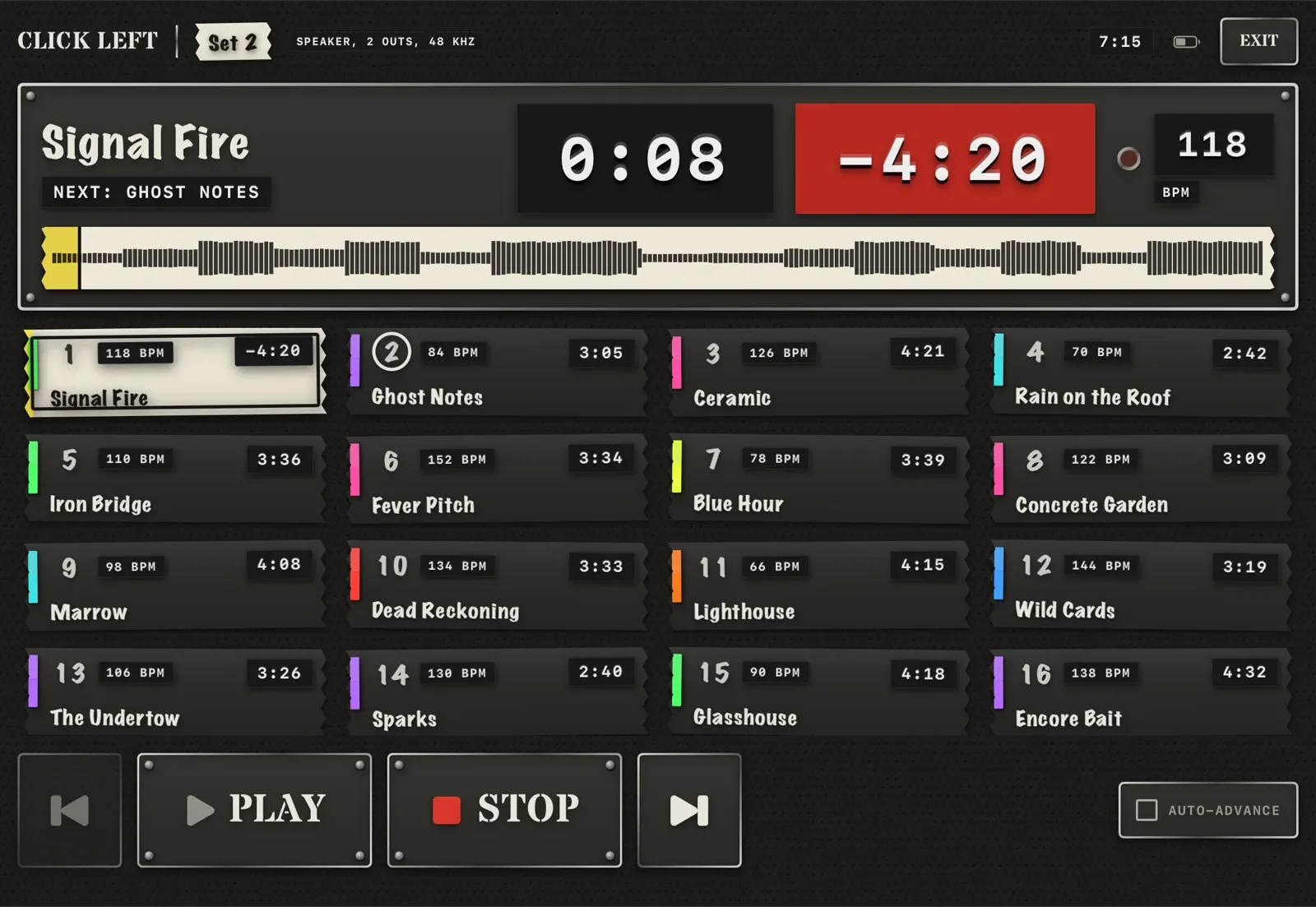
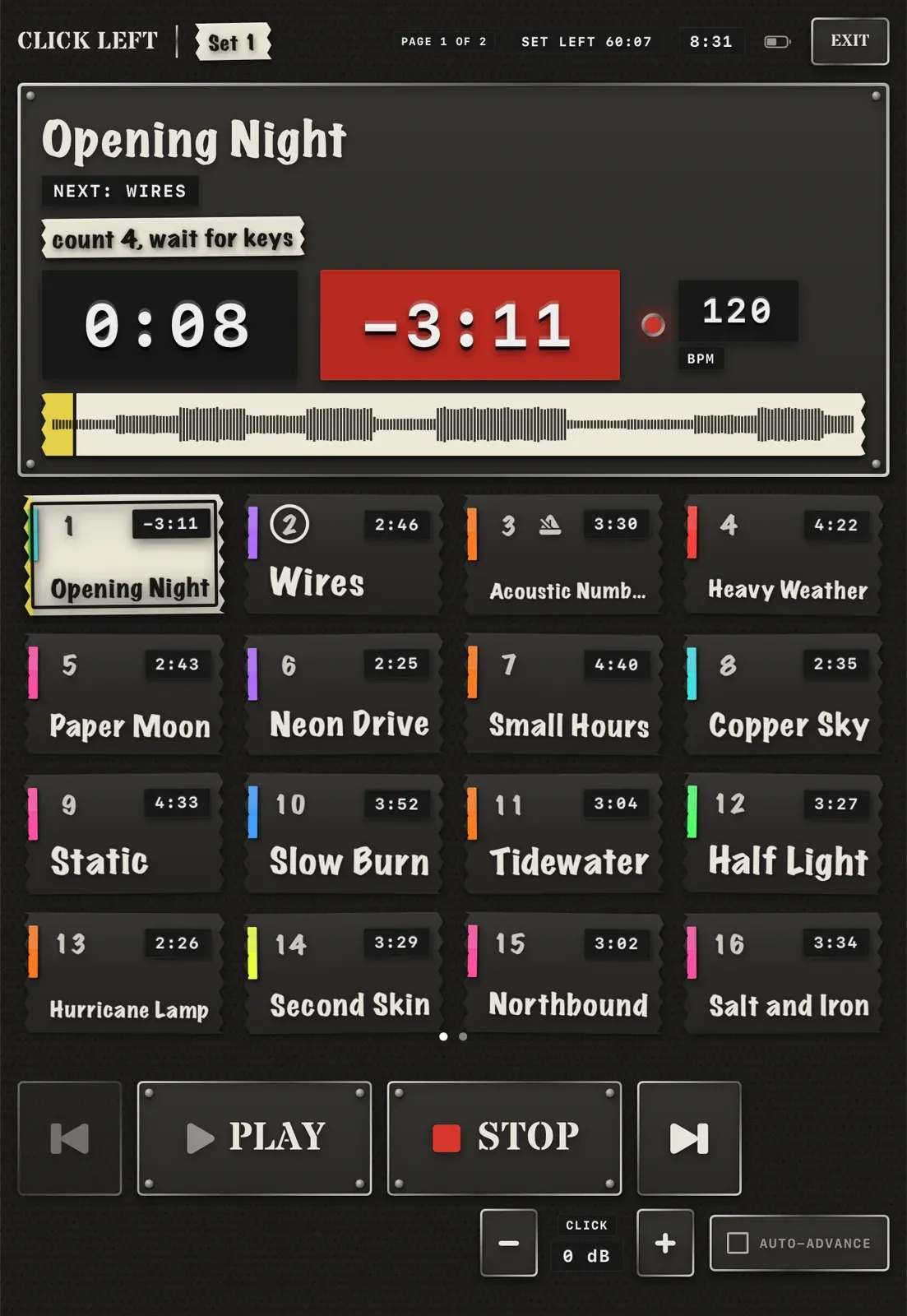
Sixteen songs a page in type you can read from the stool, with the next number armed and the current one lit.
Set 2 · Song 1 of 16 · 118 BPM
Read the set from the stool.
The waveform shows you where the chorus is. Your notes sit on the tape in front of you, with the time left in the song and in the whole set. A Bluetooth page-turner pedal handles next and play when both hands are busy. Long-press any song in the library and it opens on the stage alone, armed. Nothing plays until you hit Play. A normal tap still opens the song record. On the metronome, unlock is a slide, so a stick cannot flip it.
With the pad lock on, Next and Previous cannot end a playing song, from the screen or the pedal. Any slot in the set can carry its own note, its own tempo and a gap before auto-advance, with a countdown so you know when the next one goes. Cover art is stored on the iPad, so the pads never wait for a signal. Send the band the running order as text or a printable PDF.
- Large stage text
- Tap or use a pedal
- Pad lock guards Next
- Gap and countdown
- Long-press to the stage
- Auto-advance or arm next
- Metronome, with or without a set
- Slide to unlock
- Click level trim
- Levels matched
Bad files fail on the sofa, not on stage.
Every track is decoded and checked before it can reach a setlist. On stage the current and next songs are already in memory, nothing on that screen touches the network, the database or the disk, and a watchdog restarts the audio engine if it ever stalls.
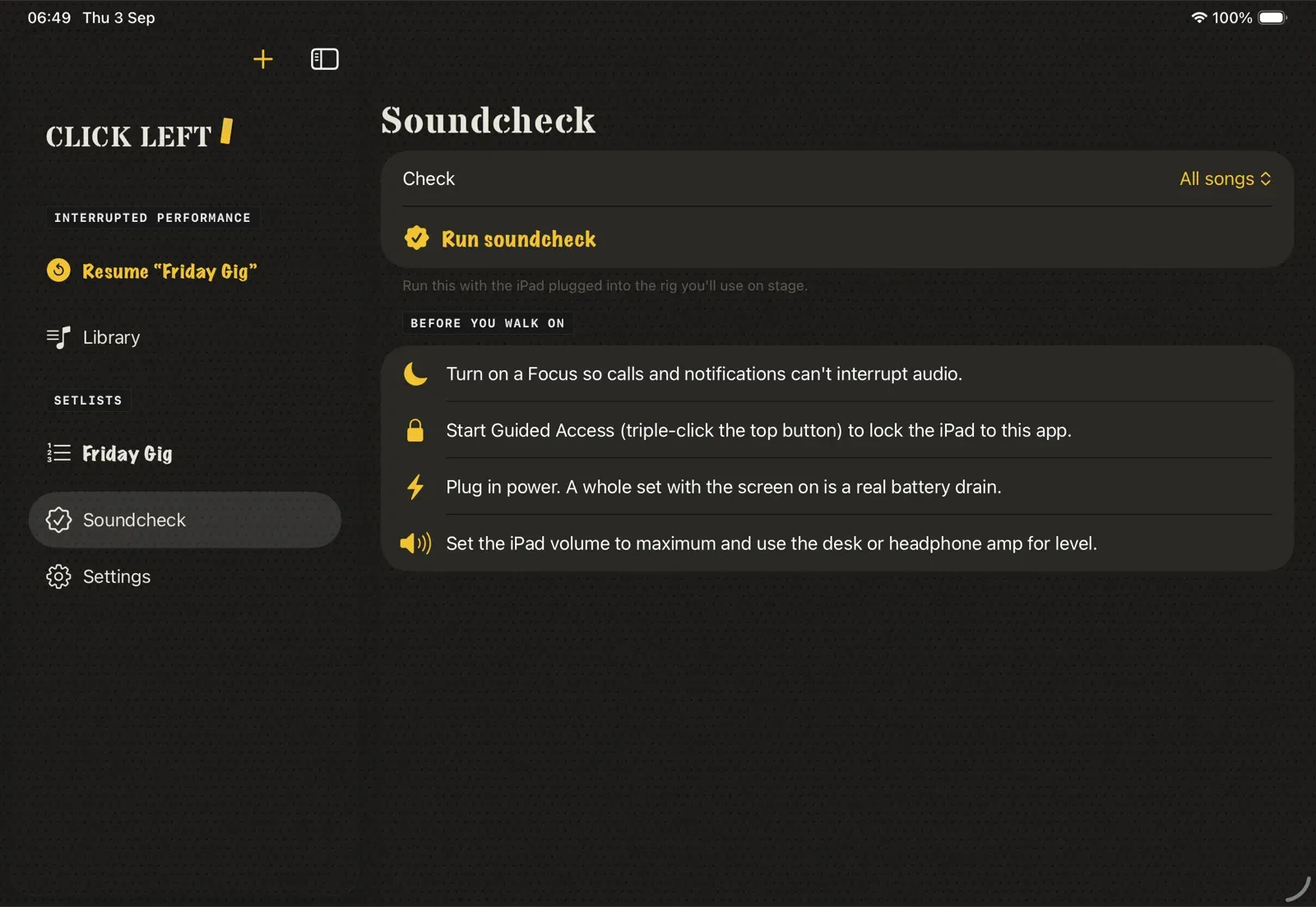
Tracks stay on your iPad. The one optional network call is Look up song, when you tap it: Apple Music for a title, artist, tempo and cover art. Back the library up to a plain folder and restore it without overwriting anything.
If your outputs go missing, click and track fall back to outputs 1 and 2 instead of going silent, and the stage tells you. If a call cuts in, playback stops and the screen says so. It never carries on by itself in the wrong bar.
If the app is force-quit mid-gig, reopen it and it offers the setlist back where you were.
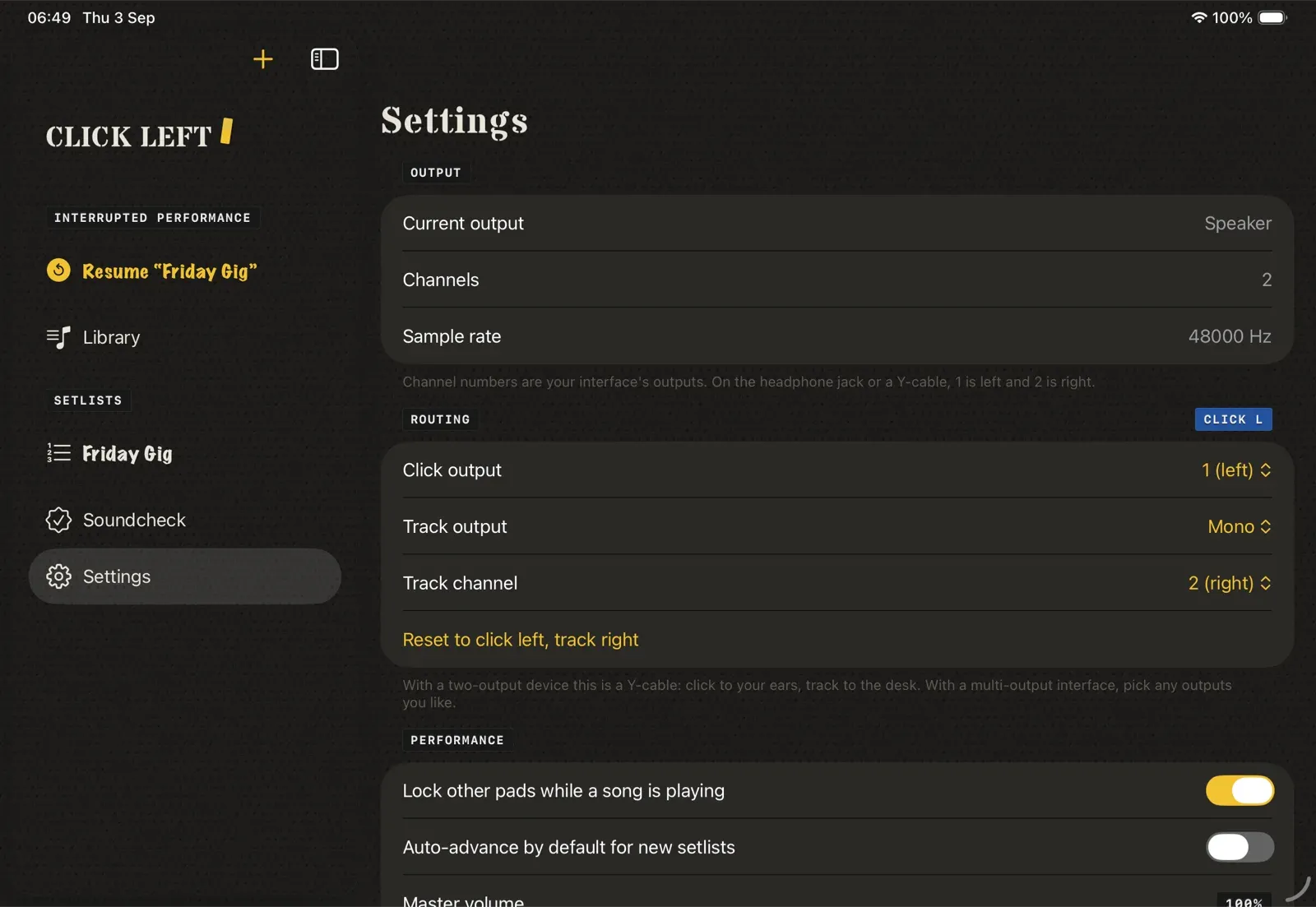
Click L · Track R
A Y-cable is enough.
On a two-output device, left goes to your in-ears and right goes to the desk. On a recent iPad that means a Y-cable in Apple's USB-C to 3.5 mm adapter. On a larger interface, choose any output for click and one or two for the track.
Which cable, adapter and DI box to buyJust the click. Locked from the stool.
Open Metronome on its own, or drop one into the set beside your tracks. Either way the stage player starts locked, so a stick cannot retune the click from kit distance.
Open it without a set.
Open Metronome from the sidebar, from Open metronome on an empty library, or from the library menu. No setlist, no library row, and it does not use a free-tier song slot. Last tempo, time signature and sound stay on the iPad.
Live numbers still belong in the running order. Add a Metronome song and it sits with your tracks: same click in your ears, a bar and beat count instead of a waveform, and it runs until you stop it. When you add that song you can tap Look up song for a title, artist and tempo from Apple Music. It stays off until you ask.
Long-press any song in the library and it opens on the stage alone, armed. Nothing plays until you hit Play. A normal tap still opens the song record.
It starts locked.
The stage player starts LOCKED. Play locks it again. Unlock is a two-position slider, so a stick cannot flip it. While it is locked you get the readouts only. The tempo wheel sits recessed, the beat lamps sit in their own well, compound time groups in threes, and silent beats are empty sockets.
While the click runs, a scan line crosses the lamps. That motion respects Reduce Motion and Pulse. With Reduce Motion off, the pulse moves with the beat.
Time signature, subdivision, sound, count-in and ending are on that screen. Tempo is a dial, a tap, or a typed BPM. While the click plays, nudge the tempo by 1 BPM and the change lands on the same bar and beat. Time signature, subdivision, sound and count-in still need a stop. Live tempo is for click tracks. Backing tracks play as recorded.
- No set needed
- No song slot
- Starts locked
- Slide to unlock
- Nudge tempo 1 BPM live
- Same set as tracks
- Optional song lookup
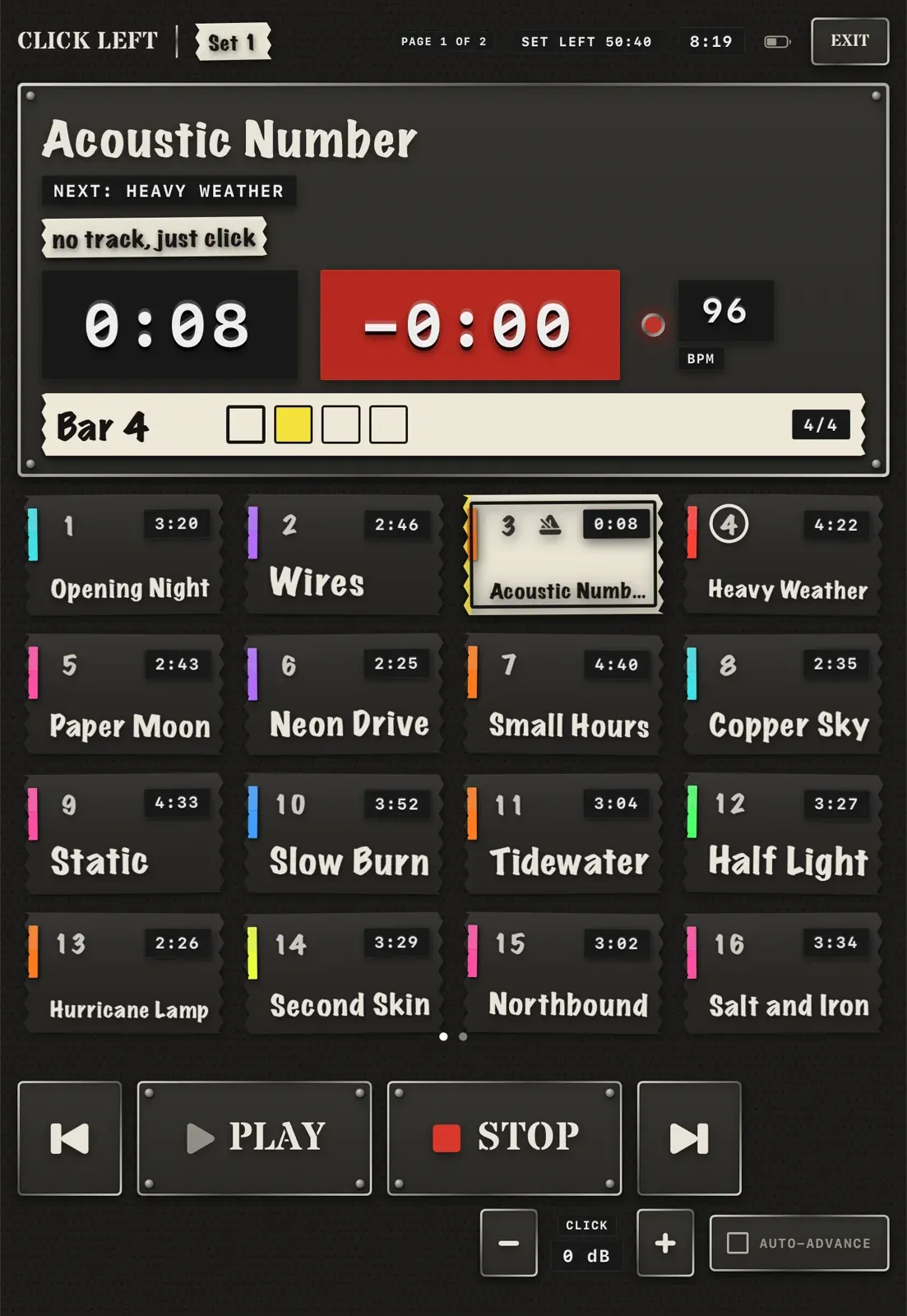
LOCKEDA stick cannot retune it.
Slide to unlock
Try it with a short set.
The free version holds six songs and one setlist. Opening Metronome on its own does not use a song slot, and bands are included. Take it to rehearsal. Put it through the gig rig. When you trust it, one purchase removes the limits.
Unlock: £9.99 once. No subscription.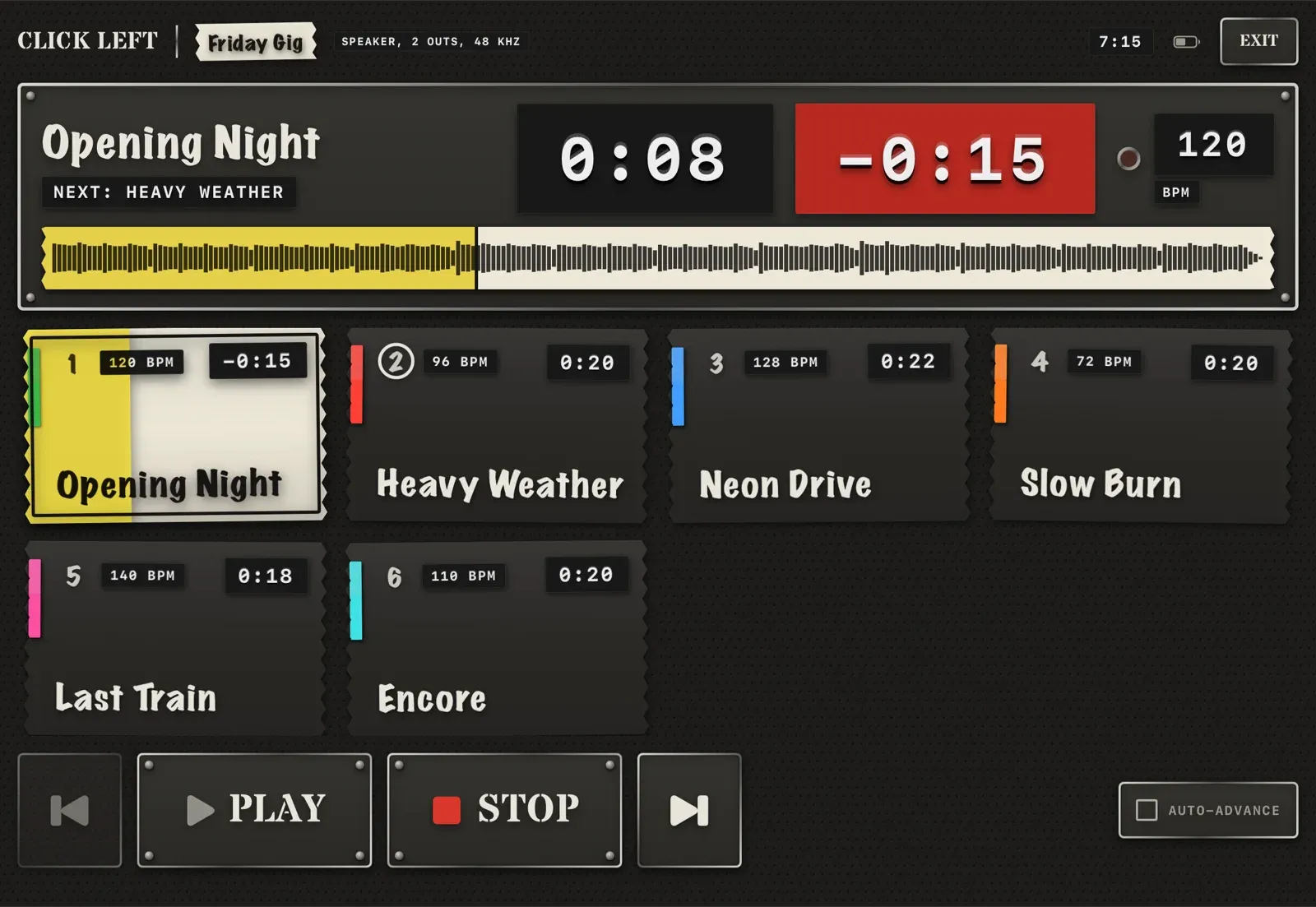
Take it to the next rehearsal.
Free to try with six songs and one setlist. When it has done a gig for you, one purchase unlocks every song and setlist.
Unlock: £9.99 once. No subscription.
iPad only · iPadOS 26 or later · No account · No subscription